- Limitless Creator
- Posts
- 3 ChatGPT Writing Hacks That'll Put You Ahead of 99% of People
3 ChatGPT Writing Hacks That'll Put You Ahead of 99% of People

Jessica Camilleri
September 02, 2025
In partnership with

Hey creator friends 💜
So... OpenAI slid into my DMs this week 🫢
My intial thought was - “I’ve said something wrong about ChatGPT and pissed them off” 🤣
Thankfully, it was an invitation to join their influencer program!! (Another surreal opportunity as a result of simply posting online every day!)
Here's what this means for you: I'll be getting advance access to new features before they go public! And I'll also be collaborating with OpenAI on some content.
And most importantly, I can bring you the real insights straight from the people actually building this stuff. If you want the absolutely freshest AI updates, make sure you're following me on Instagram and TikTok (and here of course).
But right now? Let me show you the 3 ChatGPT writing hacks that will put you ahead of 99% of people using ChatGPT for writing.
TL;DR - today’s lineup:
One Serious Deep Dive 💡: 3 ChatGPT writing hacks that turn generic AI slop into publish-ready gold (including the reverse-engineering trick that saves hours)
One Powerful Prompt 🤖: The Future-Proof Career Audit - find your irreplaceable human edge and turn it into income streams
One Great Tool 🔨: Snipd - the app that actually makes you remember what you learn from podcasts (triple-tap headphones to save genius moments)
Piping Hot AI Tea 🫖: Google's scary-good image editor, Netflix's AI rulebook, WhatsApp's productivity takeover, and Meta stuffing Midjourney into everything
💌 Your say genuinely shapes this newsletter: there’s a one‑click feedback poll at the very end. Or hit reply and tell me what you loved/hated. I genuinely wait with bated breath to see (an honest) reply from you!
Before we dive in:
Go from AI overwhelmed to AI savvy professional

AI keeps coming up at work, but you still don't get it?
That's exactly why 1M+ professionals working at Google, Meta, and OpenAI read Superhuman AI daily.
Here's what you get:
Daily AI news that matters for your career - Filtered from 1000s of sources so you know what affects your industry.
Step-by-step tutorials you can use immediately - Real prompts and workflows that solve actual business problems.
New AI tools tested and reviewed - We try everything to deliver tools that drive real results.
All in just 3 minutes a day
One Serious Deep Dive 💡
3 ChatGPT Writing Hacks That'll Put You Ahead of 99% of People
If you use ChatGPT for writing every day - this one’s for you.
I have 3 simple but incredibly powerful hacks that'll save you hours and make your ChatGPT outputs 10x better.
I'm talking about going from 30 minutes of "make it better... no, more casual... no, not that casual" to getting it right on the first try.
These 3 systems completely changed how I write with AI. Let me show you exactly how they work.
Hack 1: The Context Bible - A “You Manual” for ChatGPT
Most people hop on ChatGPT and start asking questions without ever introducing themselves.
ChatGPT tries to help you, but it's guessing who you are. Are you a CEO? A student? A developer? It doesn't know, so it gives you generic, middle-of-the-road answers that work for everyone and no one.
That’s where the Context Bible comes in.
It’s a detailed operating manual that “onboards” ChatGPT to you - your role, goals, constraints, preferences - so every reply is closer to publish-ready on the first pass.
Think of it as your professional DNA document. It contains:
Your role and responsibilities
Your company's context and industry
Your communication style and preferences
Your goals and KPIs
Your constraints and resources
Even your pet peeves and non-negotiables
Now you’re not going to write this prompt from scratch - we’re going to get ChatGPT to extract this information from you like a skilled interviewer:
Help me build a 1-page Context Bible so your replies fit my real life. Use UK spelling and plain language.

Rules:
- Ask max 10 questions, one at a time.
- Every question must include 4–6 options I can pick from + “Other: ____”.
- Show a tiny example answer in brackets.
- If I type “skip”, make a sensible assumption and say it out loud.
- After each answer, echo a 1-sentence summary and ask “Next?”.

Order:
1) What I actually do most days
2) Who I report to / who I’m writing for
3) Typical tasks (pick many)
4) Constraints (time, budget, tools, deadlines)
5) Tone & style (do / don’t, with 1–2 examples)
6) Pet peeves (what to avoid)
7) Must-include details or rules
8) Audience skill level (beginner → expert)
9) Priorities this month (top 3)
10) “Done looks like...” (clear success marker)

When finished:
- Compile a 1-page markdown with:
  TL;DR snapshot (5 bullets) • Role & audience • Tasks I do • Constraints • Style do/don’t (with mini examples) • Pet peeves • Current priorities • “If I ask for X, default to Y” (5 lines).
- Create a 5-line Context Preamble I can paste into new chats.
- Offer to export as a PDF named “Context_Bible_[MyName].pdf”.

Start now with Q1. Keep questions short and easy to tick.
ChatGPT will then walk you through 10 targeted questions. Answer them while you're having your morning coffee. Be specific, honest and include the messy bits - like "I manage 3 people but one of them is impossible" or "our budget is tight until Q3."
Once you're done, ask it to compile everything into a structured document and save it as a PDF.
Here's how to use it:
Every time you start a new ChatGPT conversation, upload that Context Prompt first. Now watch what happens:
Instead of "Here's a generic marketing strategy," you get "Here's a marketing strategy for a bootstrap SaaS with 2 developers and a $5k monthly budget"
Instead of "Try this email template," you get "Here's an email in your direct, no-BS style that'll work with your technical audience"
Instead of solving theoretical problems, it solves YOUR actual problems
The difference is staggering. It's like the difference between asking a stranger for directions vs asking a local who knows every shortcut.
Pro tip:
Update your Context Bible monthly. Your business changes, your role evolves, your challenges shift. Keep it current and ChatGPT stays relevant.
Hack 2: The Output Blueprint - Reverse-Engineer Perfect Results
Here's where 99% of people mess up: They spend 30 minutes getting ChatGPT to write something perfect - the tone is right, the structure works, no AI cringe - and then next week they're back to square one, trying to recreate that magic.
The Output Blueprint changes everything.
It's the exact recipe ChatGPT needs to recreate your perfect outputs every single time.
When you prompt ChatGPT, you're giving it maybe 10% of the instructions it actually needs. The other 90%? ChatGPT is filling in the blanks with its best guess. That's why outputs are inconsistent - you're rolling the dice on that 90% every time.
But when ChatGPT creates something perfect, it already knows that hidden 90%. It knows:
The exact tone modulation it used
The specific structure patterns
The word choice preferences
The level of detail for each section
Even the punctuation style
The reverse-engineering hack:
Once you FINALLY get ChatGPT to nail what you want (after however many "try again but more casual" attempts), don't just copy the output and run. Do this:
You just wrote something I like [COPY/PASTE THE CONTENT]. Reverse-engineer it into an "Output Blueprint" so I can recreate this style every time.

Keep it short and clear. Include:
- Purpose (1 line)
- Structure (section order, length limits)
- Tone & style rules (do / don’t, banned words)
- Content rules (how many tips, anecdotes, CTA style)
- Formatting rules (bullets vs paragraphs, line breaks, emoji yes/no)
- Variables to swap [topic], [audience], [goal], [CTA]
- A one-paragraph prompt I can reuse that injects this blueprint.

Make all rules concrete (numbers, examples, word counts). End with a quick 5-point self-check ChatGPT should run before giving me drafts.
ChatGPT will spit out something 10x more detailed than your original prompt. It might be 200-300 words of specific instructions you never would have thought to include.
Real example:
Original prompt: "Write a LinkedIn post about productivity"
After 5 rounds of edits, the Output Blueprint revealed:
Start with a contrarian observation
Use 1-2 sentence paragraphs
Include one specific personal anecdote in the middle
End with a question to drive engagement
No emojis except in the CTA
Write at 8th-grade reading level
Avoid words like "utilize," "leverage," "synergy"
Use "you" more than "I"
Include exactly 3 actionable tips
Keep under 150 words
See the difference? That's your intellectual property right there.
How to build your blueprint library:
Create a folder called "Output Blueprints"
Every time you nail an output (email, post, proposal, whatever), extract the blueprint
Name it clearly: "Cold Email Blueprint," "Workshop Proposal Blueprint," "Newsletter Intro Blueprint"
Test each blueprint with fresh content to make sure it works
Refine if needed, then lock it in
Within a month, you'll have blueprints for everything you write regularly. What used to take 30 minutes of back-and-forth now takes one prompt.
Advanced move: Combine your Context Prompt with your Output Blueprints. Now ChatGPT knows who you are AND exactly how you want things done.
(Side note: If ChatGPT refuses to reverse-engineer, tell it you're creating educational materials for your team. Or threaten to switch to Claude. Both surprisingly effective.)
Hack 3: Canvas Mode - Your AI Writing Studio
If you're still doing the "rewrite this but make it better" dance with ChatGPT, you're living in 2024.
Canvas is ChatGPT's best-kept secret for writers. It's basically Google Docs meets AI editing - you get a dedicated writing space where you and ChatGPT can collaborate on the same document in real-time.

Here's why this changes everything:
The old way (painful):
You: "Write an email about our new feature"
ChatGPT: Writes something robotic
You: "Make it more casual"
ChatGPT: Rewrites EVERYTHING, loses the good parts
You: "No, keep the first paragraph but change the rest"
ChatGPT: Gets confused, creates something worse
You: Screams internally
The Canvas way (brilliant):
You: "Write an email about our new feature - save it in Canvas"
ChatGPT: Creates the document in a separate editing space
You: Directly edit parts you don't like
You: "Make just the second paragraph more casual"
ChatGPT: Updates ONLY that section
You: Keep iterating until perfect
How to activate Canvas:
Simply add "save this as a Canvas" or "create this in Canvas" to any writing prompt. ChatGPT opens a new editing environment where the magic happens.

Generate your first draft: "Write a sales email for [product] and save it in Canvas"
Edit directly: Click into the Canvas and change specific words, sentences, or sections yourself. ChatGPT watches and learns from your edits.
Make targeted improvements: Instead of vague "make it better" prompts, you can say:
"Add more urgency to the CTA" - "Include social proof in paragraph 2" - "Make the opening hook stronger"
Canvas isn't prominently advertised, but it’s the difference between writing WITH AI and just asking AI to write for you.
One Powerful Prompt 🤖
The Future-Proof Career Audit
Everyone's worried about AI taking their job. But what if you could use AI to make yourself irreplaceable instead?
This prompt does exactly that. It analyses your unique human edge - the stuff AI can't replicate - then shows you how to amplify it with AI tools. In 30 minutes, you'll have a complete roadmap: what makes you valuable, how to 10x it with AI, and how to turn it into income streams.
ROLE
You are a Future-Proof Career Strategist + AI Workflow Architect. Your job: (1) pinpoint my uniquely human edge, (2) design AI-assisted workflows that amplify it, (3) turn it into visible proof and income streams, and (4) give me a 30-minute starter plan I can ship today.

INSTRUCTION
If any blanks are empty, ask me up to 6 rapid-fire questions, then produce the deliverables exactly in the OUTPUT FORMAT.

INPUT (FILL THESE IN)
• Current role + industry + years: [...]
• 3 dream outcomes (next 90 days): [Outcome 1], [Outcome 2], [Outcome 3]
• Human-edge evidence (wins, lived experiences, patterns people praise): [...]
• Constraints (time/wk, budget, energy, privacy): [...]
• Preferred channels (pick 1–2): [LinkedIn / X / TikTok / IG / Email / Community]
• Tools I already use (incl. AI): [...]
• Current income streams (if any) + monthly time available to build: [...]
• Boundaries (no-go topics; brand tone): [...]
• Proof links (portfolio/case study/testimonials) or “none yet”: [...]

STEPS (INTERNAL)

1. Diagnose replaceability risk across my workflow (what’s automatable vs. what needs human judgement, taste, empathy, context).
2. Extract my “Human Edge” themes (judgement, taste, pattern-recognition, relationships, lived domain experience).
3. Map AI Amplifiers for each core task (speed, scale, quality); design 2–3 prompt-driven micro-workflows per task.
4. Turn edges into public proof (weekly flagship artifact + daily micro-signals) following a simple repurpose ladder.
5. Build a 90-day plan with a Minimum Viable Productised Offer (or digital product) and a 7-day mini-launch.
6. Set metrics, review cadence, and guardrails so I can sustain momentum.

DELIVERABLES (WHAT TO OUTPUT)

1. QUICK DIAGNOSIS (Replaceability Heatmap)
- A table of my key tasks ranked by: Human Judgement Needed / Value to Audience / Automate-ability.
- Notes on where my defensibility lives and what to stop/keep/start.
1. HUMAN EDGE MAP
- Skills I have that are hard to copy (why they’re hard to copy).
- Lived experiences → customer pain solved.
- Taste & judgement assets (e.g., pattern-spotting, story sense, standards).
- Relationship capital (who I can help; who can help me).
- 1-liner positioning (who I help, with what result, by which edge).
1. AI AMPLIFICATION PLAN (Use AI to Amplify, Not Replace)
For each high-value task, give me:
- Goal → 3 AI-assist moves (speed/scale/quality) → a step-by-step micro-workflow.
- A mini Prompt Pack (3 reusable prompts) per task.
- A “Good → Great” checklist (what my human judgement adds).
1. DOCUMENT THE PROCESS (Be Findable)
- 4-Week Content Schedule:
• Weekly Flagship (choose: case study / teardown / tutorial / story lesson).
• 5 Micro-Signals/week that atomise the flagship (hooks included).
- 10 ready-to-post hook lines tied to my audience’s pains/desires.
- Soft CTA bank (e.g., “steal my checklist”, “DM ‘AUDIT’ for template”).
1. MULTIPLE INCOME STREAMS PLAN (Simple Ladder)
- Ladder: Free Magnet → £ Low Ticket (template/workshop) → ££ Productised Service / Coaching.
- Minimum Viable Offer spec (promise, scope, price range, delivery steps).
- 7-Day Mini-Launch Plan (day-by-day: build, tease, social proof, open, follow-ups).
- “Zero proof yet?” fallback with rapid validation steps.
1. STAY AHEAD OF THE CURVE (90-Day Syllabus)
- Skills to learn (just 3): [AI tool or method], [domain trend], [distribution].
- Build-to-learn projects (3 scoped builds with outputs + proof artefacts).
- People/communities to follow & contribute to (5 targets with why-now).
1. FIRST 30 MINUTES (DO-NOW CHECKLIST)
- Minute-by-minute: ship 1 Flagship seed (outline + headline), publish 1 Micro-Signal, send 1 Give-First DM, and set a 3-line profile CTA.
1. LUCK & LEVERAGE METRICS
- Weekly: Signals shipped, Replies, Intros, Inbounds, £ from new stream.
- Cadence: 20-minute Daily (publish 1 micro + 1 ping), Weekly Review prompts.
- Guardrails: boundaries, ethics, quality bar, “if-then” recovery rules.

CONSTRAINTS

- Keep total weekly time ≤ [hours/wk]. Prefer [introvert/extrovert]-friendly tactics.
- UK-English, concise and practical. No spam; default to give-first value.

OUTPUT FORMAT (USE THESE HEADINGS EXACTLY)

1. Quick Diagnosis (Heatmap)
2. Human Edge Map
3. AI Amplification Plan (with Prompt Packs)
4. Document the Process (4-week schedule + hooks)
5. Income Streams Plan (ladder + 7-day mini-launch)
6. 90-Day Syllabus (skills, builds, people)
7. First 30 Minutes (checklist)
8. Metrics & Guardrails
9. Next Best Step (one clear action for tomorrow)

NARROWING
If I’m trying to do too much, pick ONE opportunity lane + ONE channel and output the simplest version that ships this week.
One Great Tool 🛠️
Snipd - Actually Remember What You Learn from Podcasts

I love podcasts. But I’ll listen to a brilliant 90-minute episode on my walk, think "wow, that's genius," and then... forget everything by the time I get home.
Enter Snipd, the app that's completely changed how I consume podcasts on my walks.
Here's what makes it magical: Triple-tap your headphones when you hear something brilliant, and Snipd saves that exact moment with AI-generated notes.
And Snipd doesn't just save random clips - it actually understands what you're saving. The AI creates:
Perfect transcripts with speaker names
Summaries of each saved insight
Auto-generated chapters so you can navigate episodes
It even pulls out book recommendations mentioned in episodes
There’s even a "Chat with Episode" function. It's like having ChatGPT for your podcast library. Ask it "What did Tim Ferriss say about morning routines?" and it'll pull the exact quotes from episodes you've listened to.
I've been using it for a month now, and my morning walks have become mini-masterclasses.
I’m trying out the free plan at the moment to see how I like it - the premium features are £7.99/month.
Piping Hot AI Tea 🫖
Google's image editing just got scary good
Google DeepMind dropped "Nano Banana" this past week - their new image editing model that's already the top-rated in the world. Upload a photo, tell it what to change, and it keeps you looking like YOU (not your AI cousin). Put yourself in a tutu, blend photos together, or see how you'd look in the 60s - all while maintaining your actual face. It's live in the Gemini app now.
Netflix just laid down the law on AI content
Netflix dropped strict guidelines for using AI in production: full disclosure required, no deepfaking actors without permission, and clear labeling of what's real vs generated. Hollywood's finally getting its AI rulebook, and audiences will know exactly what they're watching.
WhatsApp's becoming your AI assistant (whether you asked for it or not)
AI writing help, private on-device summarisation, smart replies - WhatsApp's quietly turning into a productivity powerhouse. With 2 billion users, this is pretty much reshaping how a quarter of humanity communicates.
Google Translate wants to be your language teacher now
Forget Duolingo. Google Translate just added "Practice" lessons, real-time conversation tools, and learning goals - all powered by Gemini. The app you use to decode restaurant menus is morphing into a full-blown language tutor.
Meta is going to stuff Midjourney AI images into your feed
Meta's licensing Midjourney's tech to power image generation across Instagram, WhatsApp, and Facebook. So that dreamy, slightly-too-perfect aesthetic you see everywhere is about to be baked into everything 3 billion people use daily.
When you’re ready…
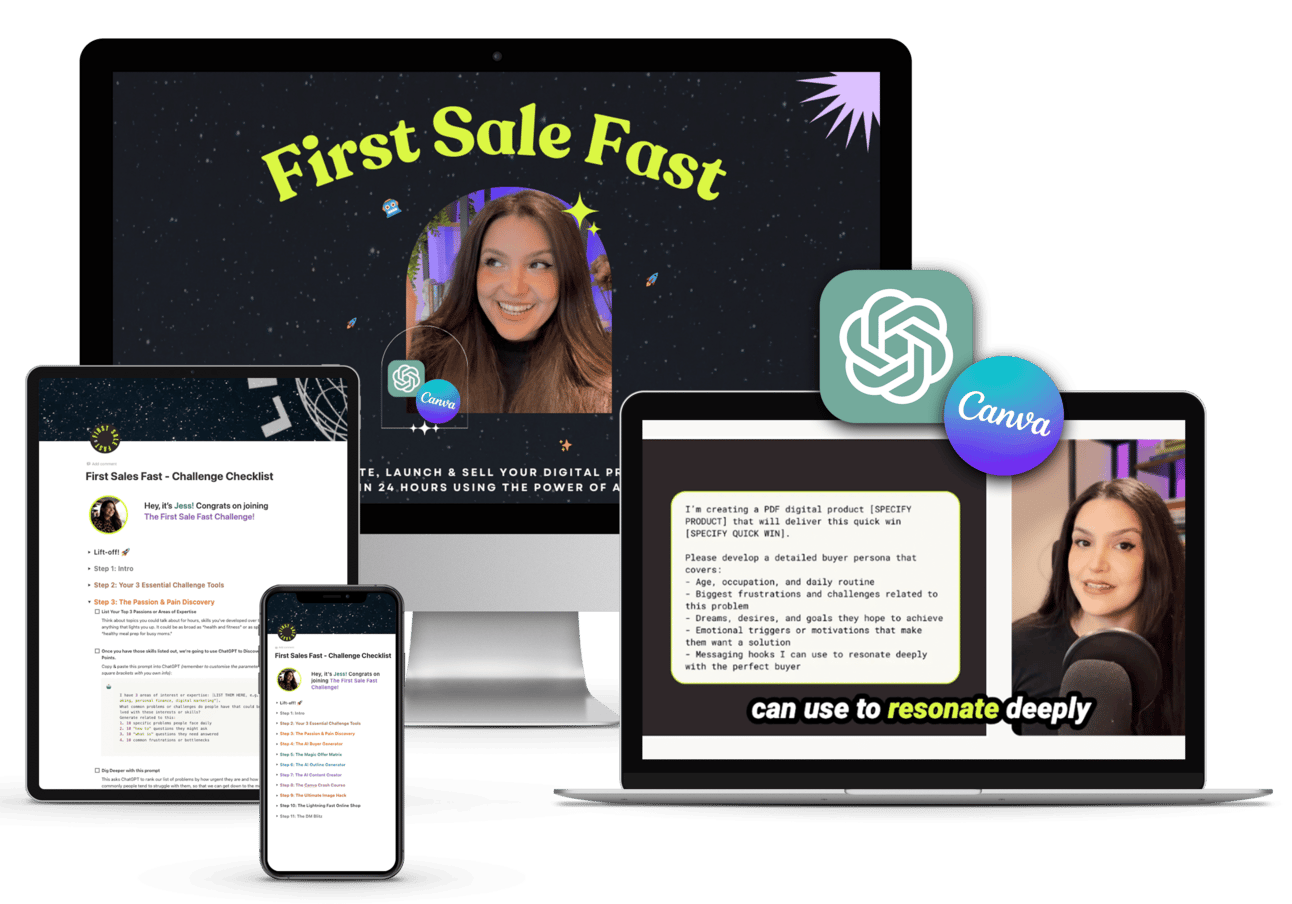
Let’s create your first or next digital product and get it selling in 24 hours with AI and my foolproof 9-step system inside my First Sale Fast challenge!
If you enjoyed today's newsletter AND got to the end of it, I’d love a quick click on the poll below to let me know what you think 💜.
See you next Tuesday,
Jess xx
What did you think of this issue? |