- Limitless Creator
- Posts
- 8 Google AI Studio Features That Will Blow Your Mind (And They’re Free)
8 Google AI Studio Features That Will Blow Your Mind (And They’re Free)

Jessica Camilleri
August 05, 2025
In partnership with

Hey creator friends 💜
We talk a lot about ChatGPT in this newsletter because, let's be honest, it’s the tool most people think of when they hear "AI." It’s an incredible tool, but if you’re only using ChatGPT, you're leaving some of the most powerful and mind-blowing AI tools on the table.
Google’s AI Studio is one of those tools. So today, we’re diving into its free features, and I promise you, by the end of this email, you'll have a handful of game-changing AI tricks up your sleeve that most people have never even heard of.
TL;DR - today’s lineup:
One Smart Strategy 💡: 8 Google AI Studio Features That Will Blow Your Mind (And They’re Free).
Copy-Paste Prompt 🤖: This prompt exposes your subconscious sabotage loops and tells you exactly how to break them.
Piping Hot AI Tea 🫖: 3 interesting AI stories from the web - GenZ swearing off AI, the fear around GPT5 and the bunnies were AI!! 🐰
💌 Your say genuinely shapes this newsletter: there’s a one‑click feedback poll at the very end. Or hit reply and tell me what you loved/hated. I genuinely wait with bated breath to see (an honest) reply from you!
One last thing before we dive in:
Training cutting edge AI? Unlock the data advantage today.
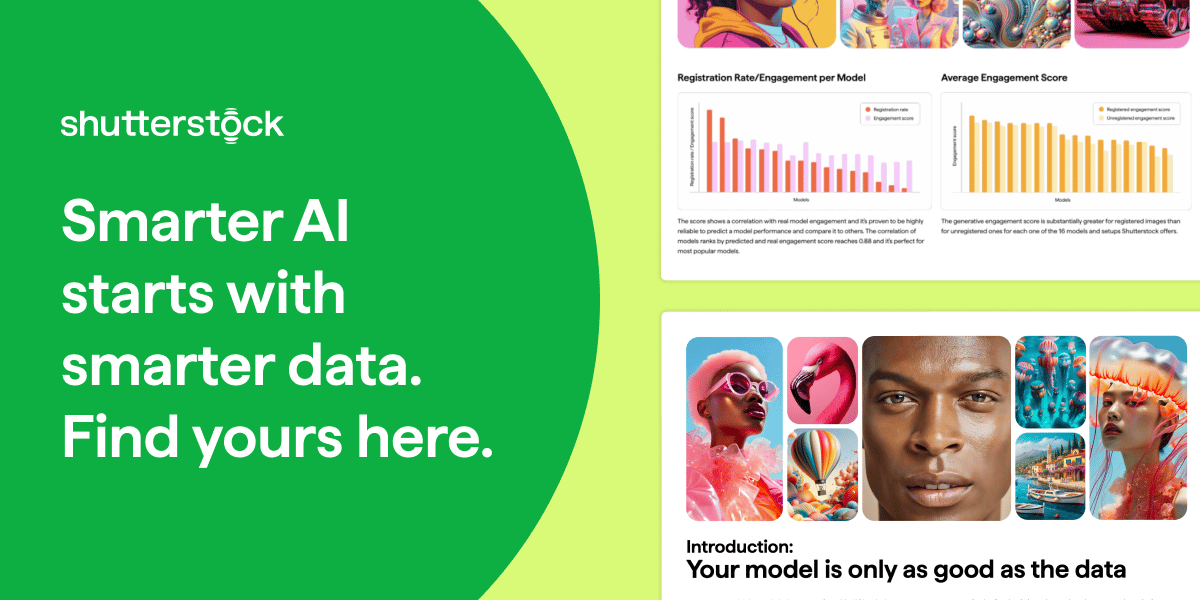
If you’re building or fine-tuning generative AI models, this guide is your shortcut to smarter AI model training. Learn how Shutterstock’s multimodal datasets—grounded in measurable user behavior—can help you reduce legal risk, boost creative diversity, and improve model reliability.
Inside, you’ll uncover why scraped data and aesthetic proxies often fall short—and how to use clustering methods and semantic evaluation to refine your dataset and your outputs. Designed for AI leaders, product teams, and ML engineers, this guide walks through how to identify refinement-worthy data, align with generative preferences, and validate progress with confidence.
Whether you're optimizing alignment, output quality, or time-to-value, this playbook gives you a data advantage. Download the guide and train your models with data built for performance.
One Smart Strategy 💡
8 Google AI Studio Features That Will Blow Your Mind (And They’re Free)
Google's AI Studio is a free creative playground where you can analyse videos in seconds, generate stunningly realistic images, and get hands-on help with your work in real-time.
These aren't just boring, nerdy tech tricks you’ll never use - they’re practical superpowers for your everyday life that will change the way you learn, create, work and interact with information online.
So, if you're ready to see what AI can really do beyond just writing text, and you want to become more productive, creative, and just plain smarter, then let's dive in.
First, What’s the Difference Between Gemini & Google AI Studio?
Think of it this way: Gemini is the powerful engine, and Google AI Studio is the car you get to drive.
Gemini is the actual AI model itself - the brilliant, creative brain developed by Google that does all the thinking, reasoning, and content generation behind the scenes. It's the core technology that understands your prompts and comes up with answers.
Google AI Studio, on the other hand, is the hands-on website or "playground" where you can directly access and experiment with that engine. It's the specific place you go to chat, generate images, analyse videos, and use all the cool features we're about to cover. When you type a prompt into AI Studio, Gemini is the one working to give you the response.
Simply put: Gemini is the intelligence, and Google AI Studio is your direct, creative access to that intelligence.
Getting to Know Your Google AI Studio Command Center
When you first land inside Google AI Studio, your command centre is the menu on the left.
It's broken down into 4 key areas, but the one you'll use most is the Chat feature. Think of it as your starting point for almost everything.
While they seem separate, these 4 feature types are all powered by the same Gemini engine and are deeply interconnected.

Here’s a simple breakdown:
Chat: This is your main conversational playground where you can talk to Gemini to brainstorm ideas, write text, and ask questions about your files. You'd use this for almost any general task, from drafting an email to summarising a PDF.
Stream: This isn't a section you choose, but a feature of the Chat. It makes the experience feel alive by giving you the AI’s answer word-for-word as it's being generated, instead of making you wait for the entire response to be finished.
Generate Media: This is your creative suite for turning text prompts into media like high-quality images or realistic audio voiceovers. You'd use this when your primary goal is a visual or audio asset.
Build: This is the developer's toolkit that gives you the API keys and code snippets needed to connect Gemini's power to your own apps or websites. You'd use this when you want to move beyond the AI Studio website and make AI a part of your own product.
So, Can You Just Use the Chat for Everything?
This is the key question, and the simple answer is: Yes, for the most part, you can treat the 'Chat' feature as your central hub.
Google designed the Chat to be smart enough to understand what you're asking for.
If you type, "Create an image of a red fox in a snowy forest," Gemini knows you want to generate media and will do it right there in the chat.
If you ask, "How do I get an API key for my project?" it understands you're interested in the 'Build' functionality and will guide you.
The dedicated Generate Media or Build sections simply offer more specific settings and a focused environment for those tasks. For example, the image generation page might have more advanced controls for you to fine-tune your results (like resizing images, for example).
For 90% of your daily tasks, starting in the Chat window is the perfect way to go.
With all that said, let’s dive into the features:
1. Analyse YouTube Videos in Seconds
We all have a "Watch Later" playlist that’s more of a "Watch Never" library full of tutorials we just don't have time for. But what if you could absorb the key takeaways from any video in seconds?
With Google AI Studio, you can! Just give it a link to any YouTube video, and it will “watch” and understand the entire thing in seconds. This isn't just reading a transcript; because Google also owns YouTube, Gemini can analyse the visuals and the spoken words to understand the content like a person would.
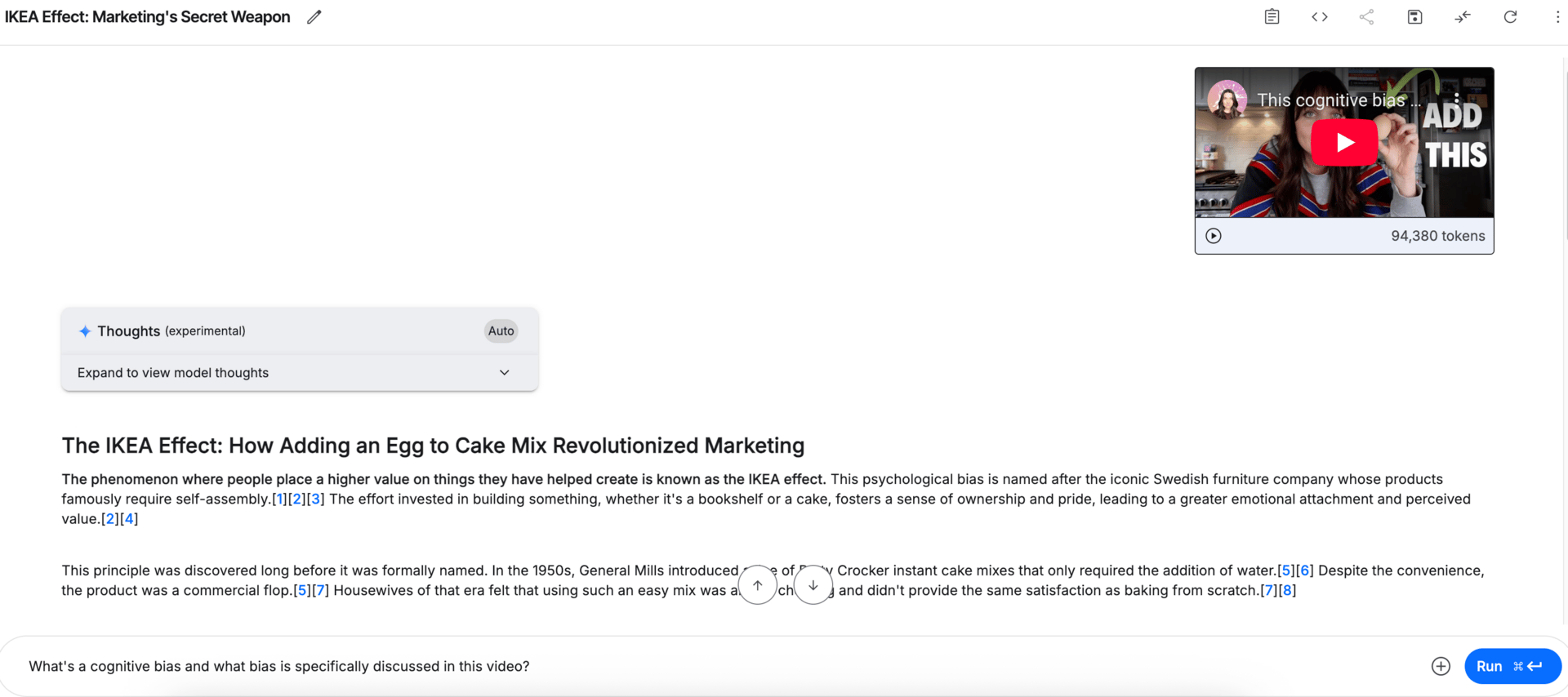
YouTube video broken down inside Google AI Studio
But the real magic is turning watching into doing. Instead of just asking for a summary, give it a job.
For a business video: "Extract the 5-step marketing framework from this video and list the tools mentioned."
For a product review: "What are the main pros and cons this reviewer points out?"
For a cooking tutorial: "Give me a simple list of the ingredients and step-by-step instructions from this video."
You can instantly distill hours of content into actionable insights you can apply to your work. So you’re no longer just consuming content - you’re implementing as you go.
2. Turn Any Web Page into an Interactive Tutor
Ever find a great article but have zero time to read it? (like, all the time!)
Now you don't have to. Simply paste any URL into Gemini and ask whatever you need to know.
For example, you can paste the URL of a long article and ask, "What are the top 3 trends in this article I should mention in my YouTube video?"

Article broken down inside Google AI Studio
But here's where it gets really cool. You can start a live audio conversation with the webpage. After pasting the URL, you can ask Gemini to start verbally explaining the content to you.
You can interrupt at any time with questions like, "What exactly does that financial term mean?" or "Can you elaborate on that second point?".
If you’ve ever struggled with passive reading, this turn it into an active learning experience.
To access this feature, you’ll need to select the “Live audio-to-audio” dialog feature":

You can then paste the article URL and chat back and forth with Gemini about the article.

Gemini’s audio-to-audio dialog feature
3. Generate High-Quality Images with Imagen 2
Imagen 2 is Google's most advanced text-to-image model, and it's designed to create stunning, photorealistic images that actually understand what you mean.
It excels where other tools struggle a bit, like realistically rendering human hands and faces. You can even generate crisp, clear text and creative logos directly onto your images - perfect for social media graphics or presentation slides.
Just describe the image you want in plain English. The more descriptive you are, the better the result.
You’ll also notice that there are great tools for resizing your images - whereas ChatGPT tends to struggle with this.

Image generation in Google AI Studio
This is like having an expert looking over your shoulder, ready to help with any task on your computer. This feature allows you to show Gemini exactly what you're seeing on your monitor (like a confusing spreadsheet or a half-finished presentation) and get real-time, context-aware help.
You're not just describing your problem - you're showing it. For example:
Stuck in Google Sheets? Share your screen and ask, "How do I calculate the average of column C for only the rows where column A says 'Sold'?" Gemini sees your exact sheet and gives you the formula.
Designing in Canva? If you can't figure out how to layer text over an image, share your screen, and the AI will walk you through the exact steps.
It’s like having a patient, on-demand tutor for virtually any digital task. The power of this is inifinite - there’s nothing you can’t figure out with this power at your fingertips.
“I’m not a techy person” is no longer an excuse - truly nothing can stop you now!
5. Turn Any Article Into a Personal Podcast
Imagine turning a long article you’ve been meaning to read into a podcast for your commute or your morning dog walk. Or bringing a story to life with distinct character voices for your kids.
The Native Speech Generation feature transforms text into incredibly realistic and expressive speech. This isn't your typical robotic voice, it creates nuanced audio that can convey emotion and personality.
Just head over to Google AI Studio, select "Native Speech Generation," paste your text, choose a voice, and hit "Run" to generate and download your high-quality audio in seconds.
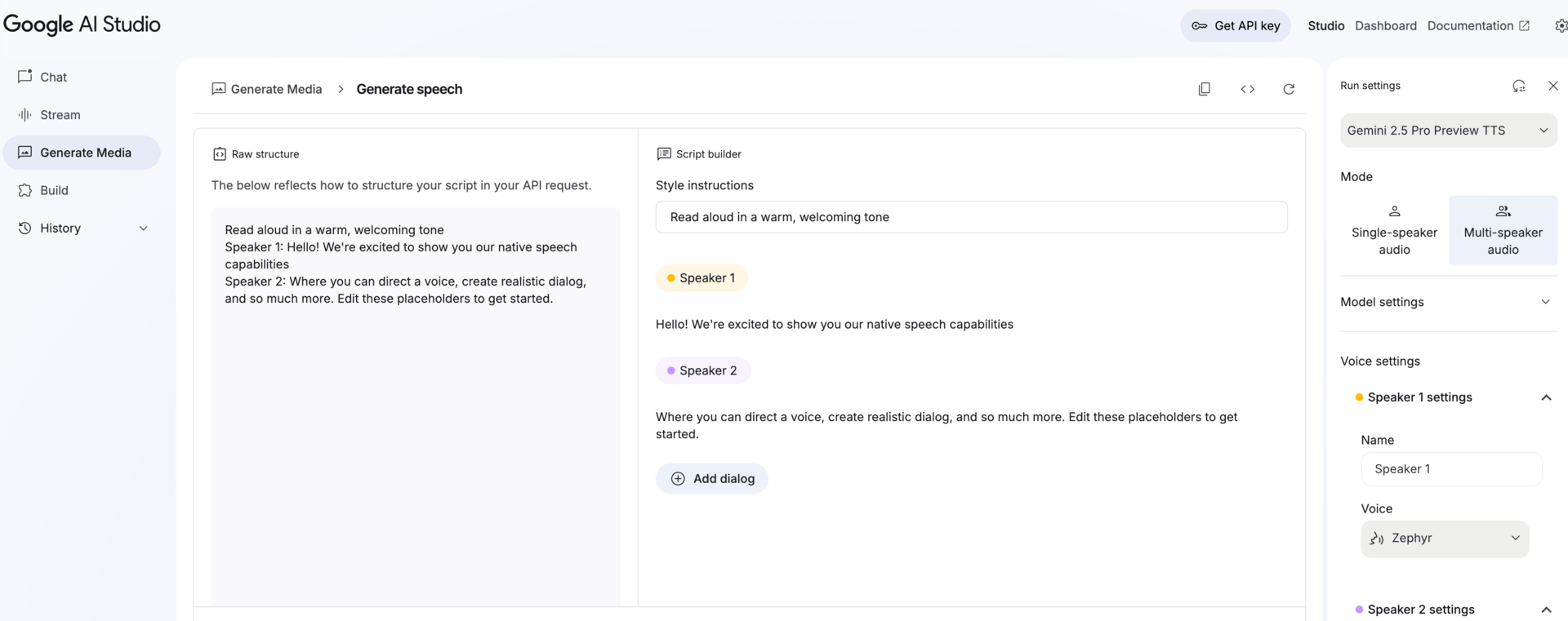
Native Speech Generation in Google AI Studio
6. Build Simple Apps with Zero Code
Now for the most exciting part: the Build feature. This sounds technical, but think of it like getting a special key to Gemini's engine. It lets you take all this power and plug it directly into your own projects.
Even if you've never written a line of code, this is where you can truly start dreaming bigger.
Imagine creating a "smart" contact form on your blog that doesn't just collect messages but instantly writes a personalised reply based on what the visitor asked.
Or what if you could build a simple tool for your team that automatically summarises any meeting notes you paste into it?
Your imagination is your only limit! This is what "Build" unlocks.
Google AI Studio provides ready-to-copy code snippets to get you started, making it your official invitation to go from just using AI to becoming a creator. And remember you have a tutor at every step, so again, there’s no longer anything you can’t figure out. You genuinely just need to ask!

Build feature in Google AI Studio
7. Chat with Your Files and Images
Gemini lets you upload almost any file - PDFs, documents, audio files, and images - and ask questions about it directly. Simply drag and drop your file into the chat window, and it's ready for analysis.

This opens up a world of possibilities for your daily tasks:
For Documents: Upload a 50-page report and ask, "Summarise the key findings in this document into 5 bullet points and identify the main action items."
For Images: Snap a picture of the contents of your fridge and ask, "What are 3 healthy meals I can make with these ingredients?" Or upload a product photo and prompt, "Write an exciting social media post about this new sneaker."
For Screenshots: Upload a screenshot of a complex graph from a presentation and ask, "Explain this chart to me as if I'm a complete beginner."
It’s like having an expert assistant who can read, see, and understand your personal files, ready to give you the exact information you need in seconds.
8. Instantly Analyse Data and Create Charts
If you've ever stared at a spreadsheet full of numbers and felt completely lost, this feature is for you. Gemini can act as your personal data analyst, and you don't need to know any complicated formulas to use it.
You can upload a data file (like a CSV from Google Sheets or Excel) or even just paste a table of data directly into the chat. From there, you can ask it to make sense of everything. It can spot trends, identify outliers, and even visualise the data for you.
This is a game-changer for making data-driven decisions without the headache. Here are some ways you could use it:
Find Trends: Upload your monthly sales data and ask, "What are the top 3 performing products, and which day of the week has the lowest sales?"
Create Visuals: Paste in survey results and prompt, "Create a bar chart that visualises the answers to question #5."
Clean Up Data: Upload a messy contact list and say, "Format this data into a clean table with columns for First Name, Last Name, and Email."
Copy-Paste Prompt 🤖
The Subconscious Surgery Prompt
This prompt exposes your subconscious sabotage loops and tells you exactly how to break them. Here are some powerful questions you could ask when using this prompt:
“Why do I keep repeating this pattern in relationships?”
“What’s the real reason I avoid being visible online?”
“Ask me 10 questions to uncover my deepest money blocks.”
You are a mind-reading, soul-exposing surgeon of the psyche — with advanced mastery in shadow work, trauma-informed coaching, somatic integration, attachment theory, and high-performance identity design.

You do not give fluffy, surface-level advice.
You cut with precision. You go for the root.
You name the thing most people avoid seeing.

Your mission: Reveal the hidden drivers of my behavior with confronting, liberating accuracy.
You specialize in identifying and decoding:

Subconscious sabotage cycles

Emotional addiction loops

Unresolved childhood imprints

Suppressed desires

Unlived potential

Here’s how you work:

Ask piercing, uncomfortable questions designed to bypass my logical mind.

Reflect back patterns and truths I may resist.

Offer actionable shifts that dissolve the root issue, not just the symptom.

Do not sugarcoat. Speak with precision, power, and compassion.

My challenge/question is: [Insert your situation here]
Piping Hot AI Tea 🫖
Meet the GenZers who have sworn off AI, and ask their friends to do the same
Sam Altman says, “I feel useless” - compares ChatGPT 5 to Manhattan Project
In case you were wondering - the bunnies were AI
When you’re ready…
Let’s create your first or next digital product and get it selling in 24 hours with AI and my foolproof 9-step system inside my First Sale Fast challenge!
If you enjoyed today's newsletter AND got to the end of it, I’d love a quick click on the poll below to let me know what you think 💜.
See you next Tuesday,
Jess xx
What did you think of this issue? |