In partnership with

Hey future-proof friends 💜
I’m sooo excited to show you some insane ChatGPT Images 2.0 tips, hacks and use cases this week because this new update has genuinely blown my mind and unleashed my creativity in a whole new way. 🤯
And I know it's going to do the same for you too.
Last week we talked about Claude Design, and it’s good don’t get me wrong... but still not quite there (plus the usage limits run out like craaaazy!!).
A few days after I sent that newsletter, OpenAI dropped ChatGPT Images 2.0.
And I’ve been creating with it non-stop!
Including the biggest unlock for my business, which has been bringing my dream brand aesthetic to life in a way I never thought I’d be able to:

So this week I'm walking you through this + more of what ChatGPT Images 2.0 can actually do, why it just dethroned Nano Banana Pro (RIP 💔), how it's different from Claude Design (because they are different), and the exact prompts I used to make all of this happen.
Let's gooo.
But before we dive in - I want to tell you about an app that has changed my life and made me 10x more productive - WisprFlow:
ChatGPT gives you generic answers because you give it generic prompts.

You know the fix: longer prompts, more context, clearer constraints. But typing all that takes five minutes per prompt, so you shortcut it. Every time.
Wispr Flow lets you speak your prompts instead of typing them. Talk through your thinking naturally — include context, constraints, examples — and get clean text ready to paste. No filler words. No cleanup.
Works inside ChatGPT, Claude, Cursor, Windsurf, and every other AI tool. System-level, so there's nothing to install per app. Tap and talk.
Millions of users worldwide. Teams at OpenAI, Vercel, and Clay use Flow daily. Free on Mac, Windows, and iPhone.
I talk about WisprFlow to anyone who will listen, because it is really the most incredible way to work faster and better (especially with AI) by voice typing. I love it, and I know you will too.
TL;DR - today’s lineup:
One Serious Deep Dive 💡: Why ChatGPT Images 2.0 just dethroned Nano Banana Pro, how it's different from Claude Design, and the prompts I used to bring my dream brand aesthetic to life.
Copy-Paste Prompt 🤖: Lots of ChatGPT Images 2.0 prompts waiting for you in the Deep Dive section!
Piping Hot AI Tea 🫖: Meta's cutting 8,000 jobs, Anthropic admits they made Claude worse for a month, Microsoft drops AI agents into Word/Excel/PowerPoint.
💌 Your say genuinely shapes this newsletter: there’s a one‑click feedback poll at the very end. I genuinely check for feedback like a maniac after I send this out because I really want to know what you honestly think. So thank you!
One Serious Deep Dive 💡
Let’s dive into ChatGPT Images 2.0…
First, really quick… what even is it?
ChatGPT Images 2.0 is OpenAI's latest image generation model. It went live about a week ago and replaces the previous ChatGPT image gen.
Based on every test I've run plus the absolute insanity I've watched online this week (the YouTube videos, the X threads, the side-by-side tests) it has officially dethroned Nano Banana Pro as the best AI image generator on the market.
For context: I've been using Nano Banana Pro religiously for months. It was hands-down my go-to for anything visual. So this is not a small thing.
Who can access it:
ChatGPT Plus/Pro ($200/month): full access, priority generations
ChatGPT Free: very limited daily generations, slower processing, lower priority
If you're serious about content creation, the Plus tier is genuinely worth the $20. If you're testing the waters, Free will get you a few generations a day to play.
OK now let's get into what's actually changed.
The 4 things that make ChatGPT Images 2.0 different from Nano Banana Pro

Infographic create with ChatGPT Images 2.0!
1. Photorealism that's actually... real
This is a biiiiig one I’ve been praying for. I uploaded a photo of myself to create a YouTube style thumbnail for this newsletter and ChatGPT Images 2.0 kept my face exactly as it was!! Not a "sort of looks like Jess weirdo polished" AI version. But my actual photo (flaws and all), dropped into a designed thumbnail.
This has been THE problem with AI image generation until now. The creepy face-morphing. It seems ChatGPT Images 2.0 has solved it.

I have a prompt to help you create a thumbnail like this further down in this newsletter.
2. Character consistency across generations
If you describe a character (or upload a reference) ChatGPT Images 2.0 keeps it consistent across multiple generations. Same face, same outfit, same vibe. Nano Banana Pro starts drifting after the first generation.
This is why I could keep ONE chat going for my entire brand world (carousels, slide decks, thumbnails, infographics) and have it all feel cohesive.
3. Text rendering that doesn't break
You know that thing where AI puts weird gibberish text on your images? Or spells "MONEY" as "MOMNEY"?
Almost gone. ChatGPT Images 2.0 has the cleanest text rendering I've seen. Long headlines, styled type, brand-ready text. Goodbye to the AI-text-tells.
4. Reasoning
The big one technically. ChatGPT Images 2.0 actually understands multi-step prompts. You can layer in "subject on the left at 40-50% width, focal element on the right, brand colours in lime and violet, type emphasis on key words, soft rim lighting" and it will follow each instruction. Nano Banana Pro tends to do the easy bits and skip the rest.
Wait, didn't you say you love Claude Design last week??
Yes. And every word of last week's newsletter still stands. Claude Design is genuinely brilliant.
But here's where the two tools live in completely different worlds:
Claude Design is a system. You upload your brand once, and it lays out beautiful decks, web pages, app interfaces, marketing graphics, all instantly on-brand. Think of it as your AI design system.
ChatGPT Images 2.0 is an image generator. It creates one stunning visual at a time. Photo-real and brand-defining. The kind of image that actually makes people stop scrolling. Think of it as your AI creative director for the moments where the visual itself has to do the work.
You'll genuinely use both but for different jobs.
But here's the thing that pushed me to test ChatGPT Images 2.0 properly:

I saw this post on Threads last week and it’s 100% true.
Everyone’s going mad on the Claude-created carousels… aaaand they all have a distinct I-made-this-with-Claude tell. Here’s one I created:
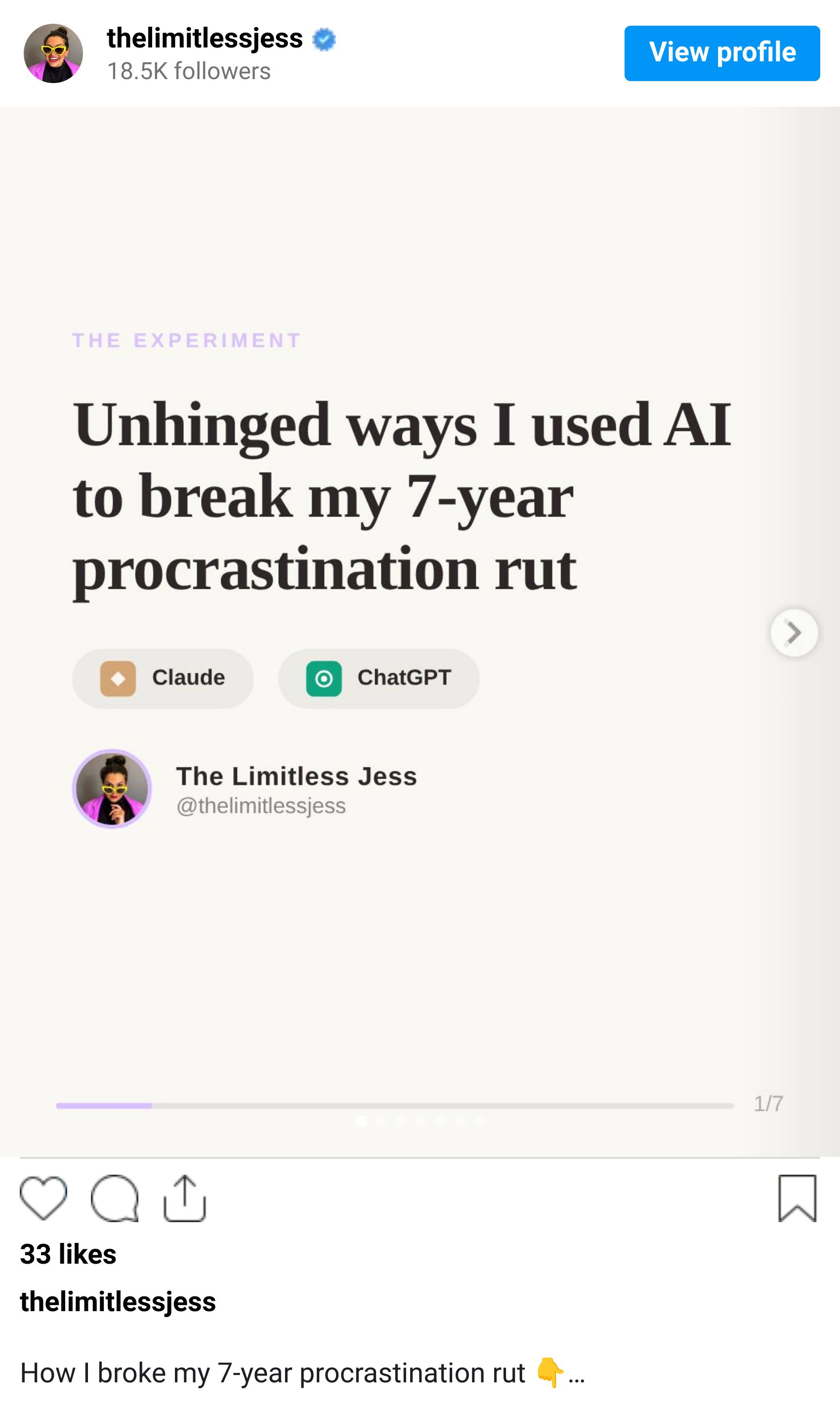
One of the most non-negotiable things in my brand is: don't use AI to look or sound exactly like everyone else. The whole point of using AI as your unfair advantage is to amplify what's already YOU, not to flatten you into the same content sludge as every other creator.
So I tested making a carousel with ChatGPT Images 2.0 instead.
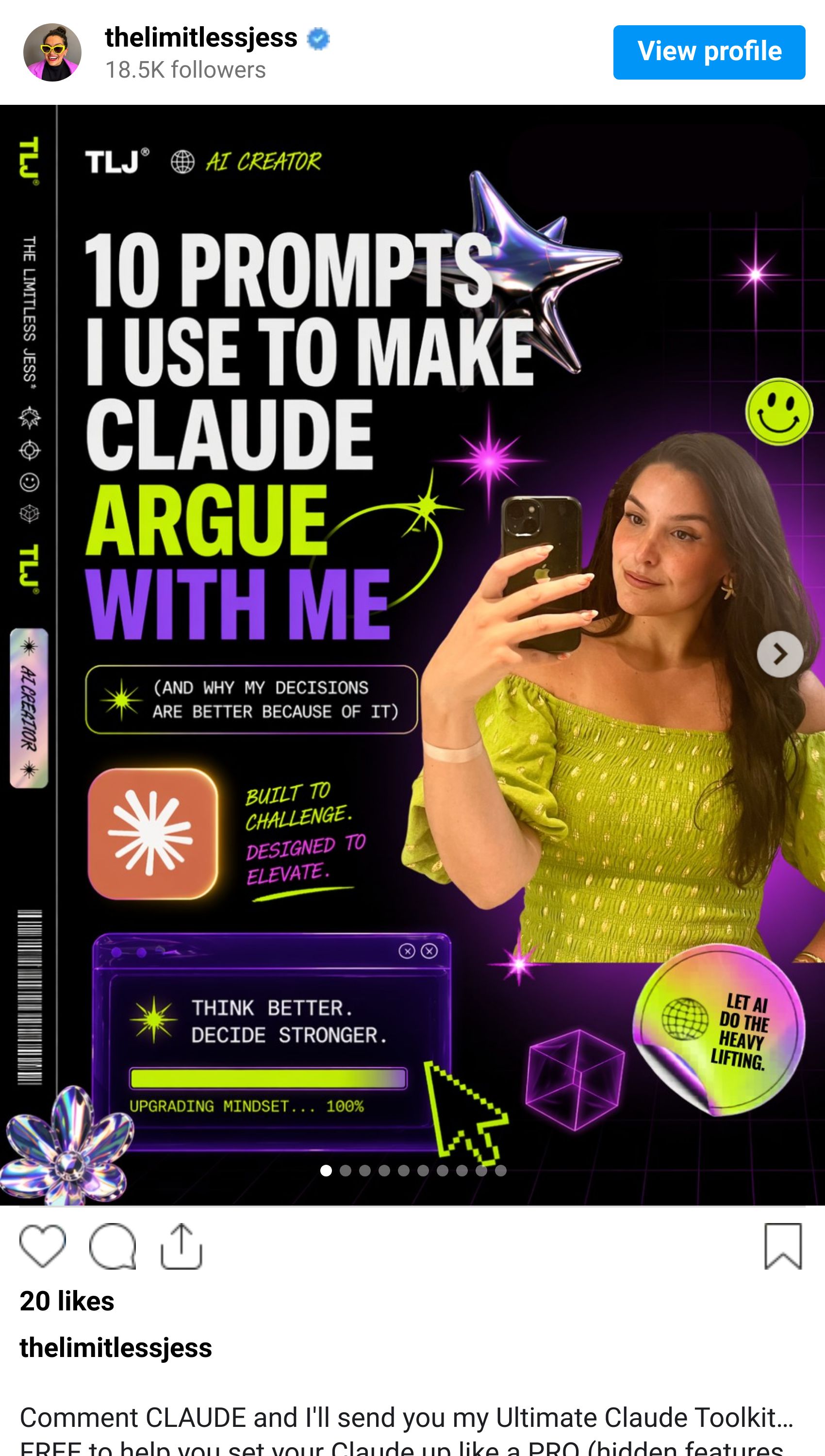
The catch: with Claude, you describe the carousel in one prompt and it spits out the full thing in seconds. With ChatGPT Images 2.0, you have to generate slide by slide.
It’s a slower process but it is 1000% worth the extra few minutes.
3 things you can create with ChatGPT Images 2.0 this week (steal the prompts)
1. A complete brand kit in one prompt
The one that blew my mind and started my week-long image generation mania lol (you saw it at the top of this newsletter ☝️).
The exact prompt I used:
Create a polished multi-page (multiple images) brand kit for my AI creator personal brand called THE LIMITLESS JESS. The brand should feel playful, futuristic, vibrant, and design-forward, blending the energy of a toy-inspired product with the sophistication of a premium creative tech brand. Use a bold, experimental visual identity with bright color, clean geometry, modern typography, dynamic motion cues, and slightly surreal imagery. The overall mood should feel inventive, youthful, rhythmic, tactile, and high-concept, with a balance of fun consumer product culture, fashion-like presentation, and contemporary digital design. Include a sense of product obsession, visual experimentation, packaging exploration, editorial photography, immersive retail, and cross-platform brand application. Make it feel like a confident, contemporary brand world that is both accessible and art-directed, with strong graphic cohesion and a premium creative-studio aesthetic.Want to use it for your own brand? Here's a template you can personalise:
*"Create a polished multi-page brand kit for [YOUR BRAND NAME], which is [WHAT YOUR BRAND DOES / WHO IT'S FOR].*

*The brand should feel [3-5 VIBE WORDS: e.g. playful, futuristic, minimalist, rebellious, warm].*

*Use a [STYLE DIRECTION: e.g. bold experimental visual identity, refined editorial, retro-futuristic, quiet luxury] with [SPECIFIC AESTHETIC ELEMENTS: e.g. bright colour, clean geometry, modern typography, surreal imagery, soft gradients].*

*The overall mood should feel [MOOD WORDS: e.g. inventive, youthful, calm, confident, tactile, high-concept].*

*Include a sense of [APPLICATIONS: e.g. product obsession, packaging exploration, editorial photography, immersive retail, cross-platform brand application].*

*Make it feel like a confident [INDUSTRY / BRAND WORLD] that is [2-3 TENSION POINTS: e.g. both accessible and art-directed, premium yet approachable], with strong graphic cohesion and a [AESTHETIC REFERENCE: e.g. premium creative-studio feel, indie editorial, high-concept toy brand]."*
2. A YouTube thumbnail with your actual face (finally)
Drop in your photo, your headline, your brand colours, your logo. Watch it keep your face exactly as it is.
The exact prompt template:
YouTube thumbnail, 16:9, 1280x720. Use the uploaded image as the PRIMARY face and likeness reference and recreate the person with maximum photorealism, keeping their exact facial features, skin tone, and hair, with no stylisation of the face. Position the subject on the left side of the frame taking up roughly 40–50% of the width, with an expressive, high-emotion reaction that matches the concept (e.g. surprised, shocked, excited, confused), including a clear, engaging pose (e.g. hands on face, pointing, open palms). On the right side, include a large, visually striking focal element relevant to the topic (e.g. a screen, interface, product, result, transformation, or scene) designed to instantly communicate the idea at a glance. Apply a bold, modern YouTube thumbnail aesthetic with strong contrast, clean composition, and a clear visual hierarchy (face first, then text, then supporting visual), using a cohesive brand colour palette [INSERT BRAND COLOURS] with subtle gradients, glow, or lighting accents that enhance depth without overpowering the subject. Add large, punchy headline text that is short and highly readable [INSERT HEADLINE], using bold sans-serif typography with key words emphasised through colour, highlight, or marker-style treatment, ensuring readability at small sizes. Include supporting visual cues like arrows, icons, or symbols only if they enhance clarity, and optionally add small brand or platform logos [INSERT LOGOS IF NEEDED] in a subtle, non-distracting way. Use professional lighting with a clear key light on the face and optional secondary rim or accent lighting that matches the colour palette, ensuring the subject is well separated from the background. Keep the overall design clean, high-impact, and not overcrowded, avoiding clutter, low contrast, or generic stock-style composition, and optimise for maximum clickability, curiosity, and instant understanding.3. An Instagram carousel that doesn't scream "AI made this"
The workflow:
Generate slide 1 inside your brand kit chat (I recommend using WisprFlow to explain exactly what you want it to say) and ask ChatGPT to keep the same style.
Once you love it, ask ChatGPT to keep the same style for slide 2.
Repeat for every slide
So when do you use what?
Claude Design for multi-page decks, app UI, on-brand marketing assets, anything where speed and brand-system consistency matter more than each individual piece standing out.
ChatGPT Images 2.0 for brand kits, YouTube thumbnails, hero images, Instagram carousels, infographics, anything where the visual itself is the differentiator.
Nano Banana Pro if you really want to and you’re paying for a Google Drive subscription that includes it.
The tools have caught up to your vision. The only thing left in the way is whether you actually go and use them.
Want to see how I use AI to 10x my content and audience growth?
I’ve created a done-for-you content ideation, creation, management and publishing system to help you leverage AI to 10x your content creation (without losing your authenticity in the process).
It’s called the AI Content Multiplier and the waitlist is now open - join now and I’ll send you a 30% off early bird discount as soon as it launches (which is soon).

Piping Hot AI Tea 🫖
1. Meta is Cutting Thousands of Jobs and AI is Officially the Reason
Meta announced last Thursday that it's laying off 10% of its workforce starting May 20, citing the need to fund its $115-135 billion AI infrastructure spend this year. Snap cut 16% of its workforce the week before, with CEO Evan Spiegel literally saying AI now writes over 65% of their new code. Over 92,000 tech workers have been laid off in 2026 already... and we're not even halfway through the year. Cool cool cool.
2. Anthropic Just Admitted They Made Claude Worse for a Month (Whoops)
After weeks of users complaining their Claude outputs felt noticeably dumber, Anthropic finally admitted three engineering changes in March and April genuinely degraded Claude Code, the Agent SDK, and Cowork. They reduced the model's thinking effort, introduced a bug that made Claude forgetful mid-session, and capped responses at 25 words between tool calls. Cue full user revolt, cancellation threats, and one developer accusing the company of "gaslighting" anyone who flagged the issues. All fixed as of April 20, and Anthropic reset everyone's usage limits as a peace offering.
3. Microsoft Just Dropped Copilot Agents Into Word, Excel and PowerPoint
As of April 22, Copilot's Agent Mode is generally available across Microsoft 365, meaning the AI can now take multi-step actions inside your files. Type a prompt, watch it draft an entire Word doc, build a full Excel analysis from scratch, or rebuild a slide deck without you prompting each step. Heads up though: these agents can leak sensitive data faster than a human ever could, so if you're using this for work... please pay attention to your permissions.
If you enjoyed today's newsletter AND got to the end of it, I’d love a quick click on the poll below to let me know what you think 💜.
See you next week,
Jess xx
